


How To Setup Vevor Leather Embossing Machine
Setting up a leather Embossing Machine the right way is what separates clean, repeatable results from wasted material and uneven impressions. Many users focus too much on the plate pattern or pressure alone, but the real quality of embossing starts much earlier. Machine position, plate alignment, material preparation, stroke adjustment, and test pressing all affect the final result.
If you are working with a Vevor leather embossing machine for the first time, the setup process is not complicated, but it does require patience. A careful start will help you avoid shallow patterns, double marks, edge distortion, and unnecessary wear on the machine. Once the machine is adjusted properly, daily operation becomes much smoother and more predictable.
Understand The Machine Before Power Or Pressure
Before placing any leather on the machine, take a few minutes to understand the main working parts. Most compact leather embossing machines use a manual press structure with a platen, guide shafts, stroke adjustment, and a pressure handle. The upper and lower working surfaces must stay parallel during pressing. If they are not aligned, one side of the pattern will appear deeper while the other side may look weak or incomplete.
This is also the time to check whether the machine sits firmly on a stable bench. A leather embossing machine should not rock during operation. Even slight movement can affect pressure consistency. If the workbench is too light or the floor is uneven, the machine may feel fine when empty but shift under load. That movement usually shows up as blurred edges or inconsistent texture depth.
A clean setup area matters more than many beginners expect. Dust, leather scraps, adhesive residue, or metal particles left on the platen can create marks that transfer directly onto the leather surface. Wipe down the working area before each setup so you are starting from a flat and clean base.
Prepare The Leather And Embossing Plate Correctly
Good embossing begins with good material condition. Leather that is too dry often resists the pattern and may crack at the surface, especially when the design is deep or detailed. Leather that is too wet can stretch too easily and lose definition after pressing. The goal is controlled flexibility rather than excessive softness.
For vegetable tanned leather, light moisture is often helpful before embossing. The leather should feel slightly more workable, not soaked. If the surface is visibly wet, it is usually too much. Let the moisture settle evenly before placing the sheet into the machine. For chrome tanned or coated leather, always test on an offcut first because surface response can vary a lot.
The embossing plate or die should be checked just as carefully. Make sure the pattern surface is clean, flat, and free from burrs. A tiny raised defect on the plate can leave an unwanted mark across every piece. Place the plate in the correct orientation before pressing. This sounds obvious, but reversed placement is one of the most common setup errors when users switch between multiple patterns during the same job.
Adjust Pressure In Small Steps
One of the biggest mistakes during setup is applying too much pressure too early. Heavy pressure does not always improve embossing quality. In many cases it compresses the leather too aggressively, distorts the grain, or leaves a hard outline around the design area. Start with a moderate setting and increase step by step.
The safest method is to place a test piece on the platen, position the plate, and make a light first impression. Check the depth, edge sharpness, and overall balance. If the pattern is too weak, increase the pressure slightly. Repeat until the result is clear and even. This gradual approach takes a little longer at the beginning, but it protects both the leather and the machine.
Try to judge pressure by the result on the leather rather than by handle force alone. Different leather thicknesses, densities, and finishes will respond differently even when the machine setting stays the same. A pressure level that works well for one hide may be too strong for another. That is why sample testing should be part of every new setup, not only the first installation.
Align The Workpiece To Avoid Crooked Or Double Impressions
After pressure is roughly set, alignment becomes the next priority. If the leather is not positioned squarely under the plate, the final pattern may look slanted even though the plate itself is correct. When producing wallets, belts, patches, tags, or small decorative panels, alignment errors become very obvious because the embossed area must match cut lines and stitching positions.
Use a simple repeatable reference point. Some operators mark the platen lightly, while others use a positioning sheet or corner guide. The best method is the one that helps you place every workpiece in the same location without slowing production too much. For short runs, manual positioning is usually enough. For repeat jobs, a fixed guide can save time and reduce rejects.
A single clean press is always better than trying to correct a weak impression with a second hit. Re-pressing by hand rarely lands in exactly the same spot unless the setup is very controlled. If you are not satisfied with the first test, adjust pressure or alignment first instead of pressing the same piece again.
Use Backing Materials When Needed
Not every leather embossing job should be pressed directly between the plate and the bare machine surface. In some cases, a backing layer helps distribute force more evenly. Thin leather, soft leather, or uneven cuts may benefit from a support sheet. The right backing can improve contact and help the pattern transfer more cleanly across the full area.
The key is not to overbuild the stack. Too many layers can reduce control and make pressure feel unpredictable. Start simple. If the center of the pattern is clear but the outer area looks weak, or if the leather surface shows uneven compression, then test a backing material and compare the result. Keep notes so you can repeat the same setup next time.
This is especially useful when moving from one product type to another. A setup that works for belt blanks may not work as well for soft leather panels or decorative logo pieces. Small adjustments in support materials can make production much more stable.
Run A Short Trial Before Full Production
Once the machine feels properly adjusted, do not move directly into the full batch. Run a short trial first. This step helps confirm whether the impression remains consistent across several pieces, not just one sample. Sometimes the first press looks perfect, but minor movement, plate shift, or uneven material response appears after the second or third cycle.
During the trial, look at more than pattern depth. Check edge cleanliness, leather recovery, repeat position, and whether the plate stays stable after each press. Also watch how comfortable the operating rhythm feels. If the handle motion is too heavy or awkward, that usually means the pressure is set higher than necessary.
A short trial also helps estimate production speed. On small manual embossing machines, setup stability matters more than rushing. A slower but repeatable process usually delivers better commercial results than fast operation with frequent corrections.
Common Setup Problems And How To Fix Them
If the pattern looks too shallow, the cause is usually low pressure, leather that is too dry, or incomplete surface contact. Increase pressure slightly and test again. If only one side looks shallow, check platen parallelism and material position before making larger changes.
If the embossed area looks blurred instead of sharp, the machine may be moving during pressing, the leather may be shifting, or the material may be too soft. Secure the machine better and simplify the stacking structure. A blurred result is often a setup issue rather than a plate problem.
If you see a harsh rectangular border around the design, the pressure may be too high or concentrated on a limited contact area. Reduce the pressure and confirm that the work surface stays flat. Deep embossing should still look natural on the leather, not crushed.
If the same job gives different results from piece to piece, review your setup routine rather than adjusting randomly. Inconsistent moisture, changing material thickness, and manual positioning variation are the most common reasons. A stable process usually comes from controlling these basics, not from forcing extra pressure.
Build A Repeatable Setup Standard
The best setup is one you can repeat tomorrow. After you find the correct pressure, material condition, plate position, and support arrangement, record them. Even a simple note about leather type, approximate moisture condition, backing layer, and stroke setting can save a lot of time on future orders.
This matters even more for businesses that handle custom patterns or multiple leather products. A repeatable setup standard reduces waste, keeps quality more stable, and makes operator training easier. It also helps when moving from sample development to small-batch production.
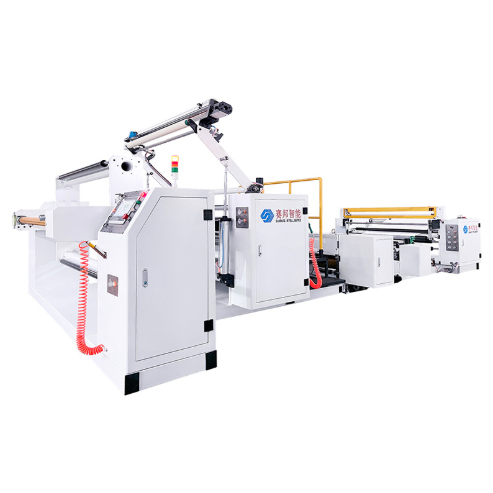
For manufacturers working with broader embossing applications, the same principle applies at a larger scale. Whether the material is leather, synthetic sheet, or flexible roll stock, stable feeding, accurate pressure control, and repeatable surface contact remain the foundation of reliable embossing quality. That is why equipment selection should always consider not only pressing force, but also adjustment range, structure stability, and ease of setup.
Conclusion
Setting up a Vevor leather embossing machine is not just about turning the handle and hoping for a strong pattern. A good result comes from a clean work area, correct leather condition, careful plate placement, gradual pressure adjustment, and a short but disciplined test run. Once these basics are in place, the machine becomes much easier to control and the finished embossing looks cleaner and more professional.
If you are comparing embossing solutions or want guidance on choosing a more production-ready embossing machine for your materials, feel free to contact SAYA. We can help review your application, discuss setup points, and suggest a more suitable embossing approach for your project.
Previous: